WORDPRESS PLUGIN — AI IMAGE CHECK&MARK
Label AI images.
Visible to people,
readable by machines.
The transparency obligations of the EU AI Act have applied since 2 August 2026. Anyone publishing AI-generated images should make that recognisable — in a form machines can read as well.
This plugin does both: it lays a visible badge over the image and writes the machine-readable label into the image file itself. Free, in the WordPress plugin directory.
CONFIRM BEFORE DOWNLOADING
We accept no liability.
The plugin is no substitute for an assessment of conformity with the EU AI Act. It implements the technical labelling as far as your installation allows — and even that we cannot guarantee: if an image optimiser, a CDN or another plugin passes over the files after us, nothing of the labelling survives. And if a page builder outputs its images bypassing WordPress, the badge does not take effect there. Whether your labelling satisfies your obligations depends on your content, your role and your jurisdiction — this is not legal advice.
Download ZIPThe WordPress directory is still reviewing the submission — until then the direct download is available here. Free version with no volume limit · Pro as a separate add-on plugin, GPL-licensed.
Susi says:Two things, not one. Your visitors see the badge. Machines see the label in the file — and that one travels along when the image leaves your site.
What it does
Five steps, in this order — from looking things up to checking what actually reaches the visitor.
First, it looks.
Most image generators already label their output themselves — via IPTC DigitalSourceType or a C2PA manifest. The plugin assumes nothing: it opens the file and tells you what is actually in there. On upload, and for your whole media library if you want.
It writes in what is missing.
If the label is missing, the plugin adds it — to every generated image size, with no volume limit. Losslessly: the image data is not recalculated, only the metadata block is inserted. If a file already carries foreign XMP metadata, it is left untouched.
It shows a badge.
Bottom right in the image, everywhere WordPress outputs the image. Text and position adjustable, switchable off at any time. Plus, if you want, a note in the alt text and the attribute data-ai-generated.
It stays on it.
Image optimisers, media replacers, regenerating thumbnails, the built-in image editor — they all rewrite images and throw the metadata away in the process. The plugin remembers what each file looked like, detects every later change and writes the label back.
It checks the delivery.
The label in the file is little use if your visitors receive something else. At the press of a button, the plugin fetches the image via its public address — the way a visitor would — and compares it with the file on the server. If an older or recalculated copy arrives, it says so, along with a note as to which layer is the likely cause.
AT A GLANCE
IPTC C2PA XMP JPEG · PNG · WebP All image sizes
German and English, with instructions right inside the plugin.
Two clicks in the media library

Marking. One link per image in the media library. Labelled files visibly carry AI and XMP in the list. [Bild: scr01-mark-an-image-in-the-media-library.png]
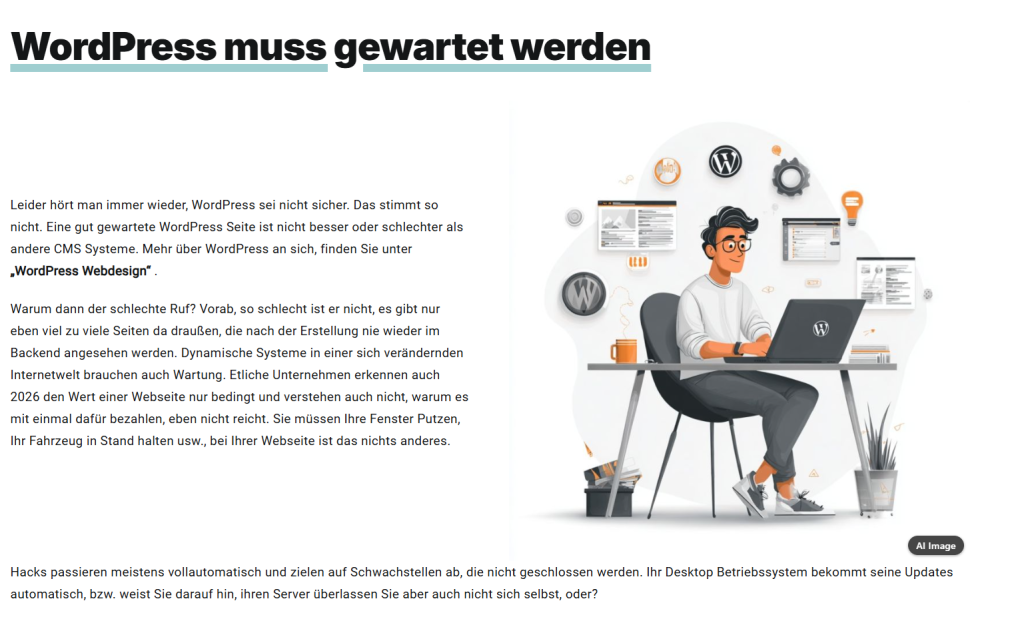
Badge in the front end. Bottom right in the image, everywhere WordPress outputs the image — text and position adjustable. [Bild: scr02-badge-on-frontend.png]
Two layers, and they reach different distances
This is the point where most solutions fall short.
The badge is for people.
It is laid over the image with CSS. Your files stay untouched and you can change the text at any time. In return it lives in the page: it appears where WordPress outputs the page — and it ends at the boundary of your website.
Not in social media previews, not in the downloaded file, not for images embedded as a CSS background.
The XMP label is for machines.
It sits inside the file itself. Nobody sees it, and your website is irrelevant to it: it travels along inside the image. Download, platform copy, RSS feed, an archive five years from now — the label is still in there.
This is the half the EU AI Act means when it speaks of machine-readable labelling.
Anyone going by the badge alone misses the more durable half. The plugin tells you, in a section of its own, exactly where each of the two layers stops.
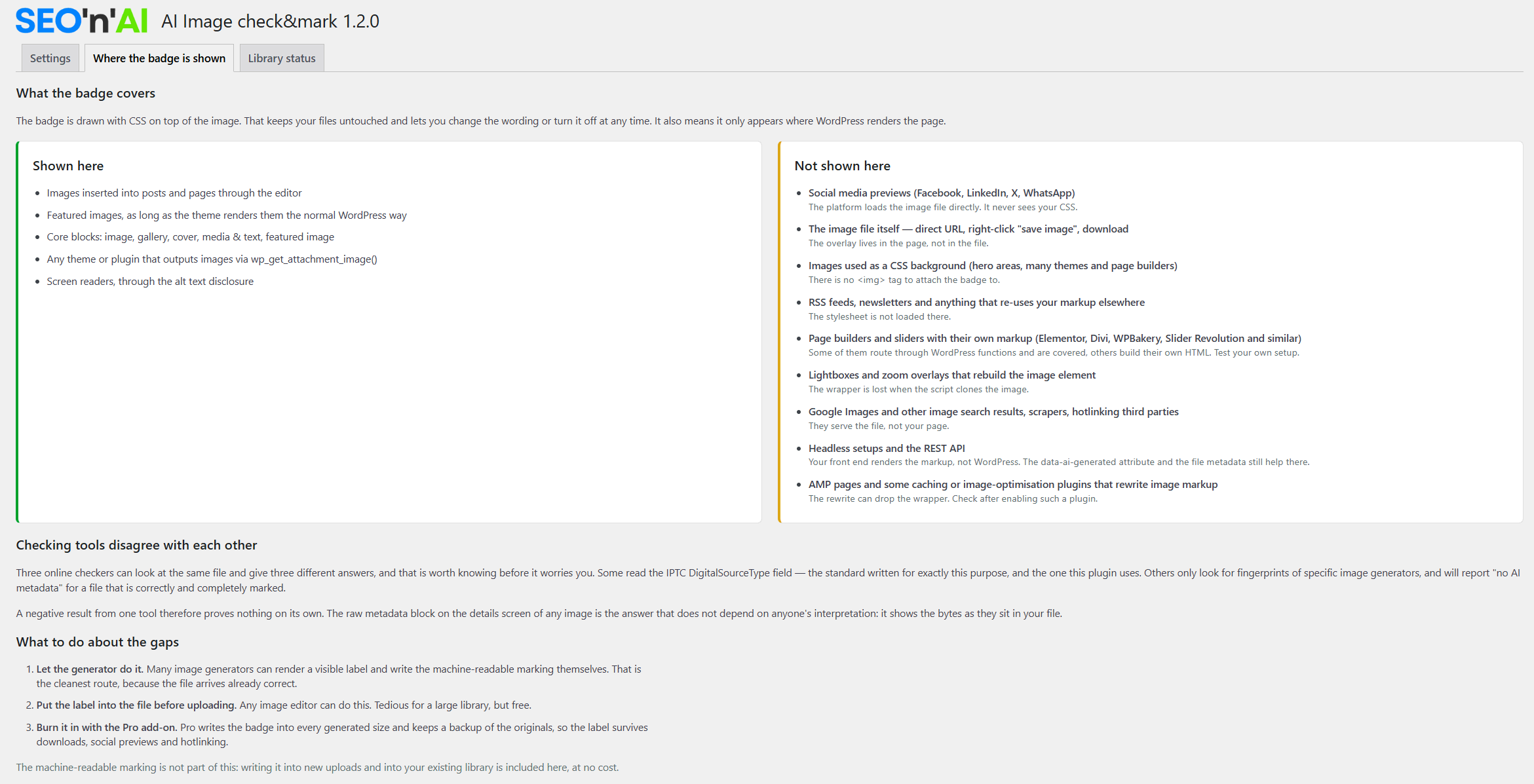
The “Where the badge is shown” tab: on the left, where the badge takes effect — on the right, where it demonstrably does not, each with a reason. [Bild: scr03-coverage-screen.png]
What it does not do
Honesty saves support and disappointment.
- It does not detect whether an image is AI-generated. It reads what is in the file, and labels what you designate as an AI image.
- The badge does not appear where WordPress does not output the image itself: in social media preview images, in content sent by e-mail, in images a page builder embeds as a background.
- Formats without a metadata block — AVIF, SVG — cannot carry a label. The plugin reports this instead of keeping quiet about it.
- Anything that recalculates an image destroys both layers: an optimising CDN, a compression plugin, a platform that converts uploads into its own format. That is why the delivery check exists.
IMPORTANT NOTICE
We accept no liability.
Whether your labelling satisfies your obligations depends on your content, your role and your jurisdiction. This is not legal advice, and a plugin cannot answer that question.
The plugin is no substitute for an assessment of conformity with the EU AI Act. It implements the technical labelling as far as your installation allows — and even that we cannot guarantee: if an image optimiser, a CDN or another plugin passes over the files after us, nothing of the labelling survives. And if a page builder outputs its images bypassing WordPress, the badge does not take effect there. The legal assessment of your case remains your own responsibility.
Free or Pro
| Feature | Free | Pro |
|---|---|---|
| Detect existing labelling (IPTC / C2PA) | ✓ | ✓ |
| Scan the whole media library | ✓ | ✓ |
| Write labelling, with no volume limit | ✓ | ✓ |
| Badge in the front end, alt-text note, data attribute | ✓ | ✓ |
| Labelling details with the raw XMP block | ✓ | ✓ |
| Delivery check | ✓ | ✓ |
| Mark images individually as AI images | ✓ | ✓ |
| Mark many images at once (list and grid) | — | ✓ |
| Apply what a scan has found | — | ✓ |
| Burn the badge into the image, across all sizes | — | ✓ |
| Originals secured, restore with one click | — | ✓ |
| Updates and support | — | ✓ |
The Pro version is a separate add-on plugin and likewise GPL-licensed. Nothing is artificially cut back: what is in the free version stays there — no limit, no asking.
The licence is an annual licence for one domain. Staging and development sites are detected and do not consume your activation. When the term expires, the entitlement to updates and support ends — the features remain.
PRO — BURN-IN
Why burning in is a tool of its own
The CSS badge ends at the boundary of your website. If the image is used elsewhere — shared, downloaded, linked — it is gone. Burning in writes the badge into the image data itself, into every generated size, scaled to fit each one. Then it stays visible outside as well.
Because that alters the image files, every file is copied into a protected backup folder beforehand. One click brings the originals back. JPEGs are recalculated once in the process — you set the quality level yourself.
Requirements
- WordPress 6.0 or newer
- PHP 7.4 or newer
- JPEG, PNG and WebP for the labelling
- For burning in (Pro): PHP-GD, with FreeType support for the badge text
- German and English, with instructions right inside the plugin
And if you want to know exactly
The labelling details show, per image, what is actually in the file — including the raw metadata block and every generated size.
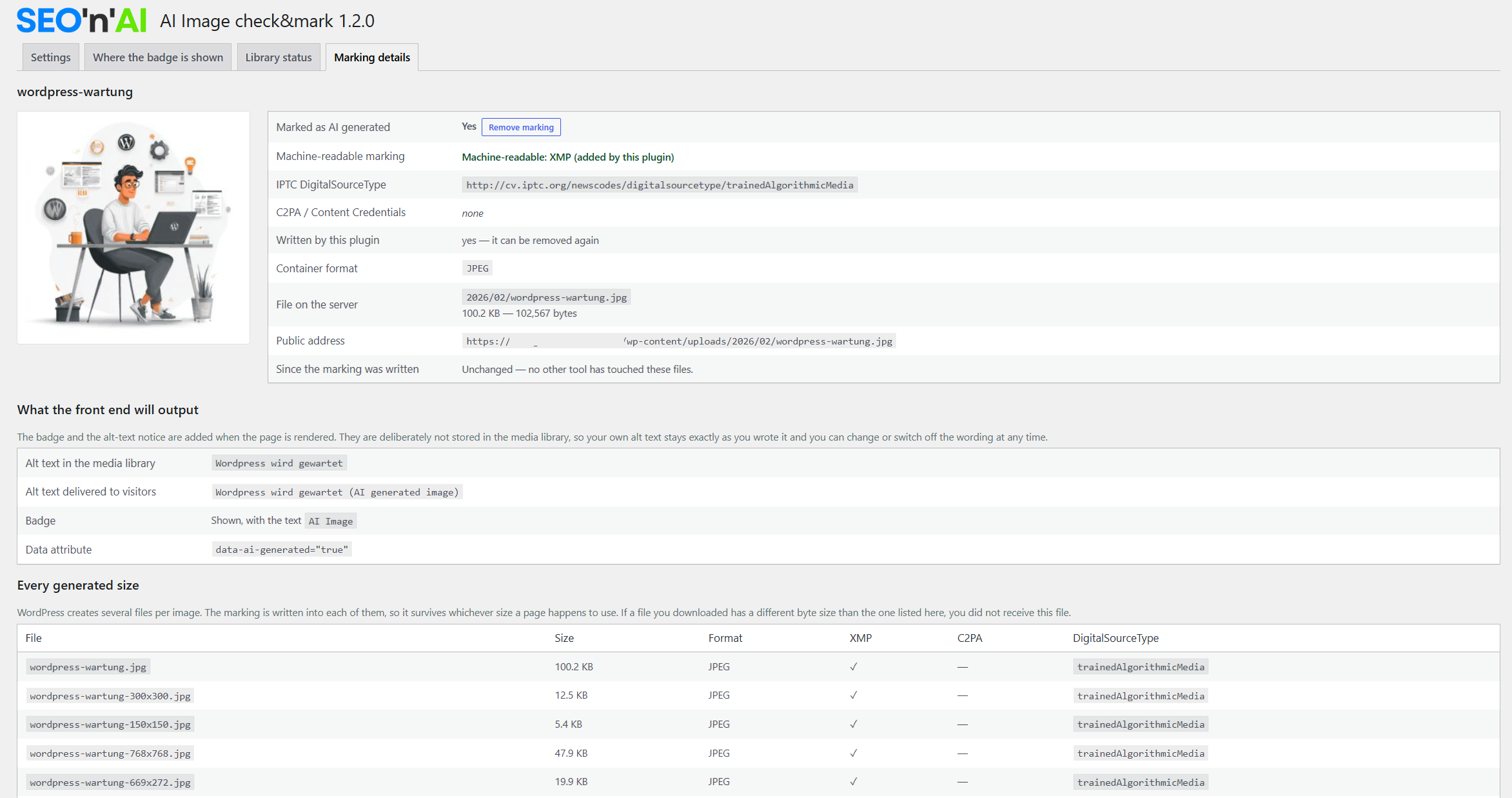
Labelling details: IPTC DigitalSourceType, C2PA status, alt text, badge text, data attribute — and every image size with its XMP tick. [Bild: scr04-media-marking-details.png]
Questions that always come up
No. The image data is not touched, only a metadata block is inserted. Remove the labelling again and the file is the old one, byte for byte.
Those are left untouched. A file should carry exactly one XMP block; the plugin does not add a second one, it reports the state instead.
Checking tools disagree about which entries count as AI labelling. Some read the IPTC standard, others look for generator fingerprints. The plugin shows you the raw metadata block from the file so that you can see for yourself what is in there, instead of relying on a single tool.
No plugin can answer that for you — and this one is no substitute for an assessment of conformity with the EU AI Act. It implements the technical labelling as far as your installation allows: if an image optimiser, a CDN or a page builder passes over the images after us, nothing of it survives. The legal assessment of your case stays with you.
Start free, burn in when you need to.
Direct download of the free version: seonai-image-check-mark.zip — inclusion in the WordPress directory is under review.
Our offer is addressed exclusively to businesses. A product from Austria.
CONFIRM BEFORE DOWNLOADING
We accept no liability.
The plugin is no substitute for an assessment of conformity with the EU AI Act. It implements the technical labelling as far as your installation allows — and even that we cannot guarantee: if an image optimiser, a CDN or another plugin passes over the files after us, nothing of the labelling survives. And if a page builder outputs its images bypassing WordPress, the badge does not take effect there. Whether your labelling satisfies your obligations depends on your content, your role and your jurisdiction — this is not legal advice.
Download ZIP